





Fresh prices. Physical labels.
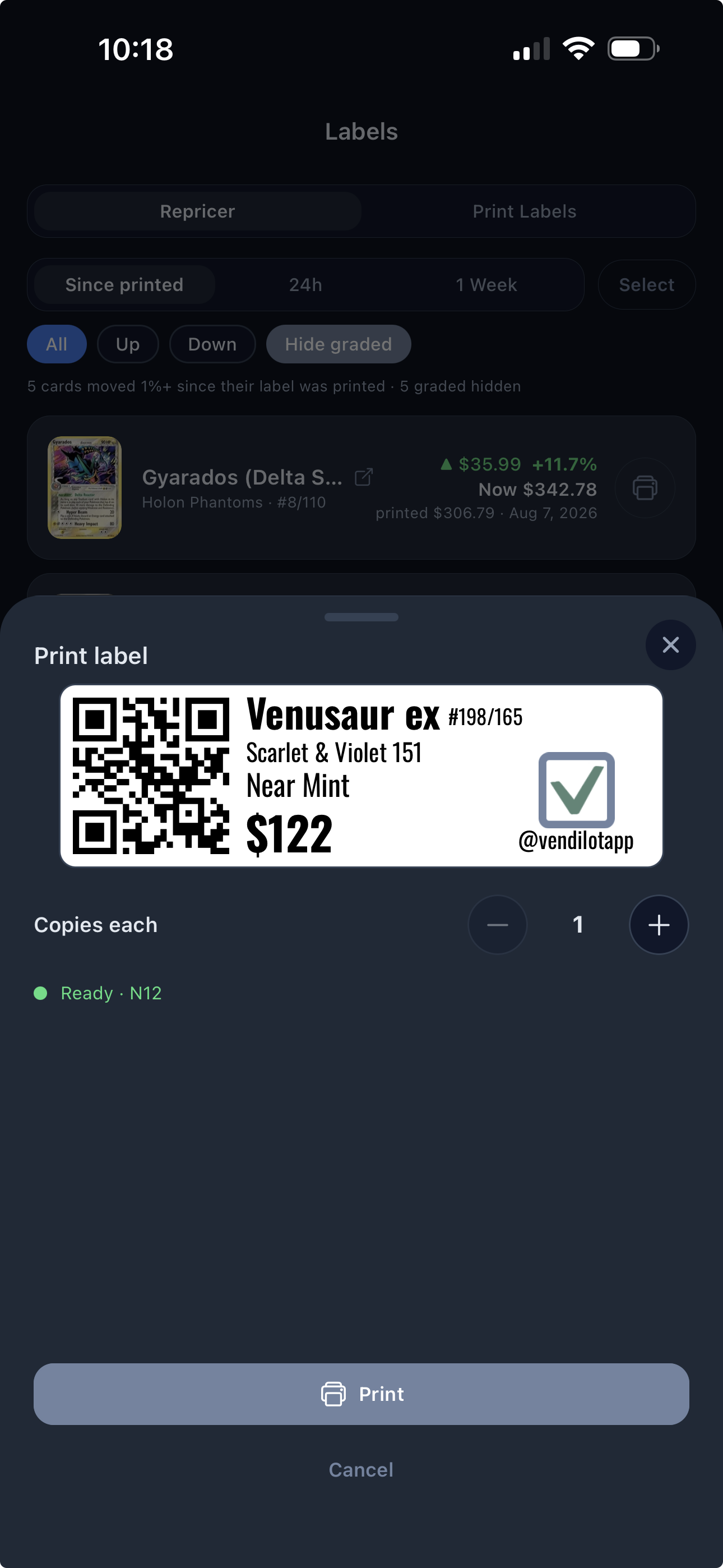
Design your labels, see which prices have moved since the last print, and print replacements from the mobile app with supported hardware.
Labels & RepricingMobile app
TCG vendor software / From scan to sale
Rapid camera scanning. A TCG deal and trade calculator. Inventory that remembers what you paid. Vendilot brings the work of buying, trading, and selling cards to your phone, ready for the next deal at your table.
Start free, no card needed. Try Pro for 14 days when you are ready.
Move to the next card.
Tap again.
Example figures. Adjust the offer to the cards and the deal.
Interactive illustration, not a product screenshot. Example values only.
The games on your side of the table
Multiple games. One working inventory.
The whole deal, connected
There’s a lot between “What would you pay?” and a finished deal. Vendilot is TCG vendor software that brings card identification, pricing, purchase costs, and inventory into the same workflow.
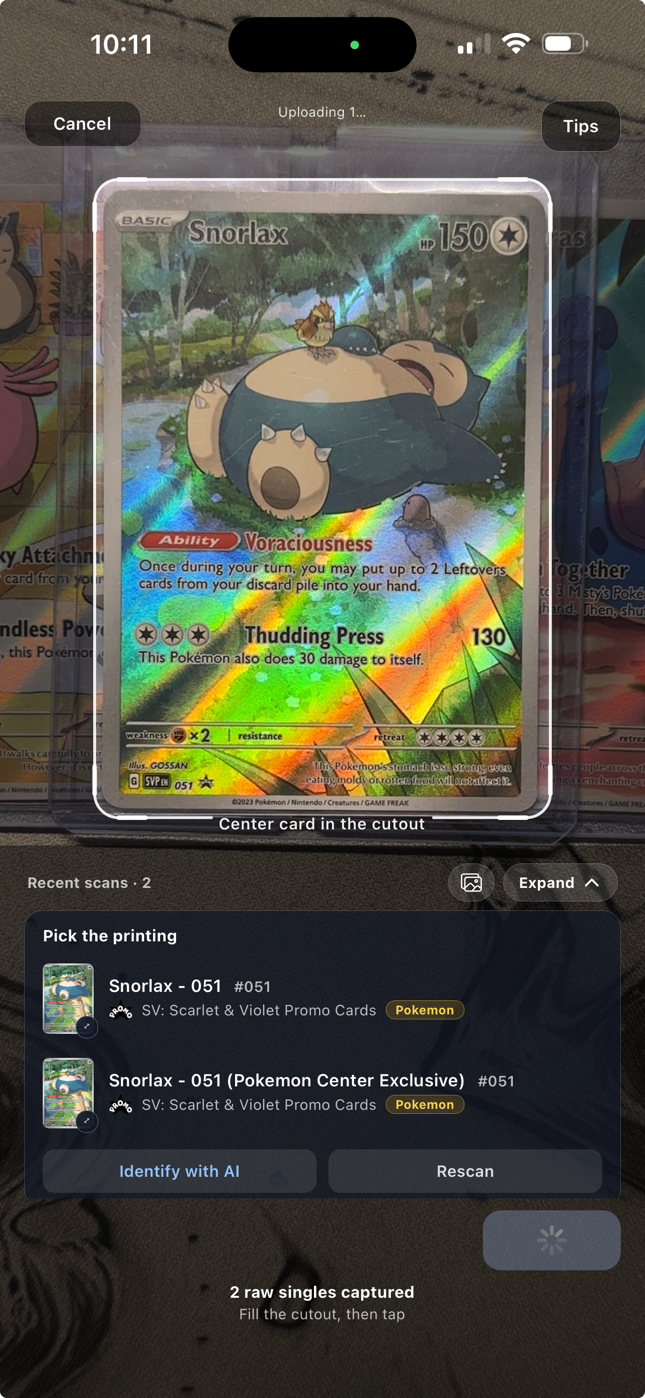
Point your phone at one card, tap to scan, and keep moving through the stack.
02Build your offerReview prices, set your buy percentage, and make adjustments.
03Keep the purchaseSave the accepted deal as a lot with the cost carried into inventory.
04Work the inventoryFollow market value, find cards, print labels, and track sales.
01 / SmartScan
SmartScan is a rapid TCG card scanner that uses your phone camera. Point, tap, and move through the stack while your scans collect for review. Confirm the printing, finish, and condition, then take the cards straight into an offer.
02 / Deal & trade calculator
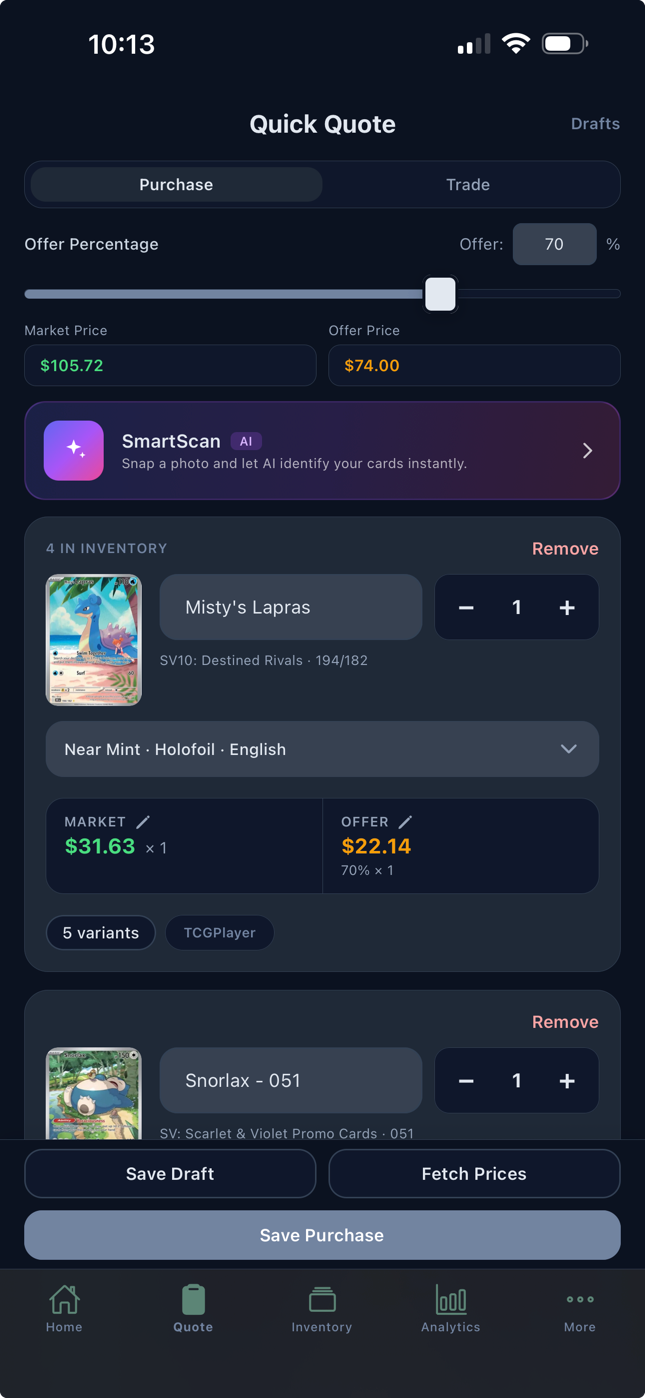
Build a collection offer in Quick Quote, or work out a trade with incoming cards, outgoing cards, and the cash difference. Review market prices, adjust individual values, and set your percentage. You decide what makes the deal worthwhile.
03 / Live inventory
What a card is worth today and what you paid for it belong side by side. Vendilot updates eligible market prices automatically while keeping your purchase costs attached to your cards.
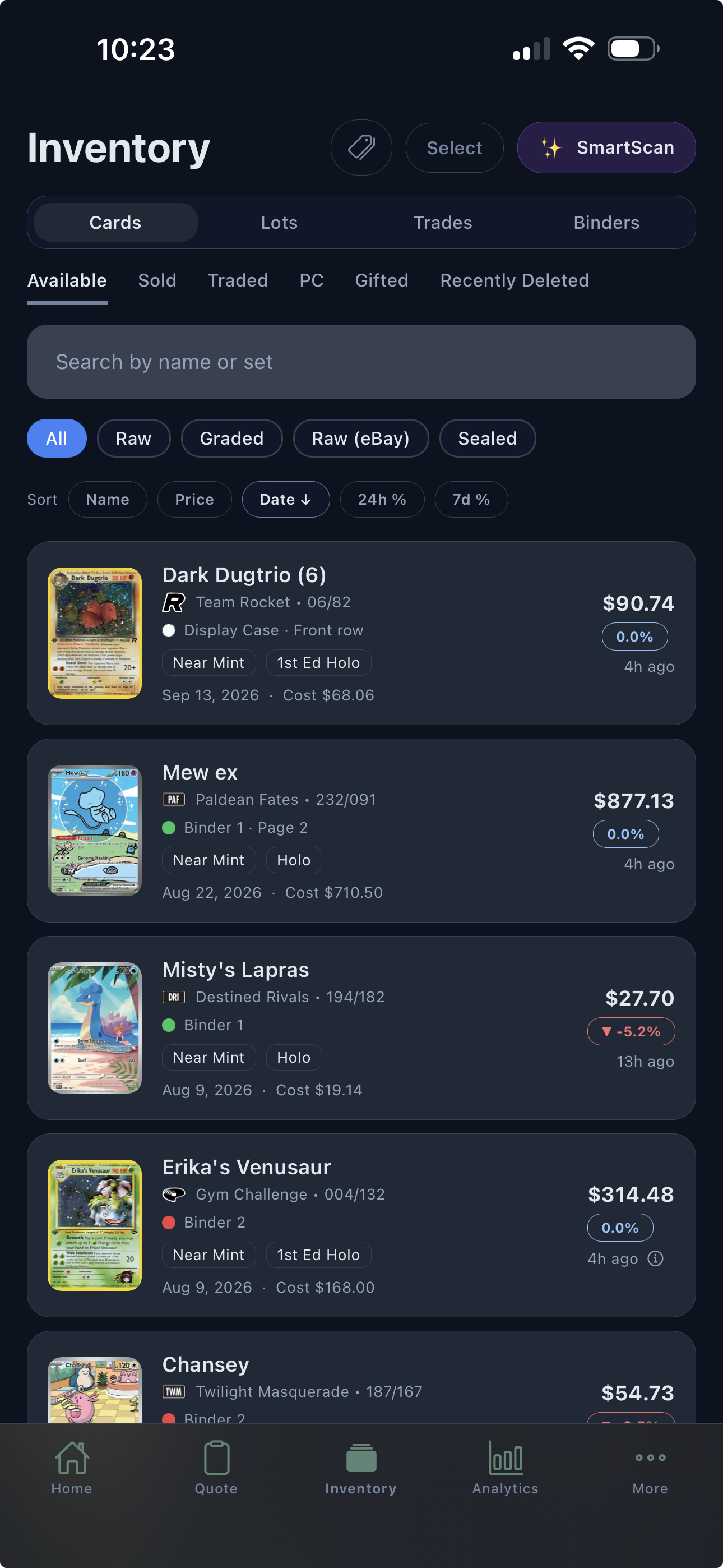
04 / Put the inventory to work
Keep your card-show sales moving: scan a QR label, find the right copy, and record the sale. Collect payment with your existing point-of-sale (POS) setup, then see what the show earned after card costs and expenses.
Design your labels, see which prices have moved since the last print, and print replacements from the mobile app with supported hardware.
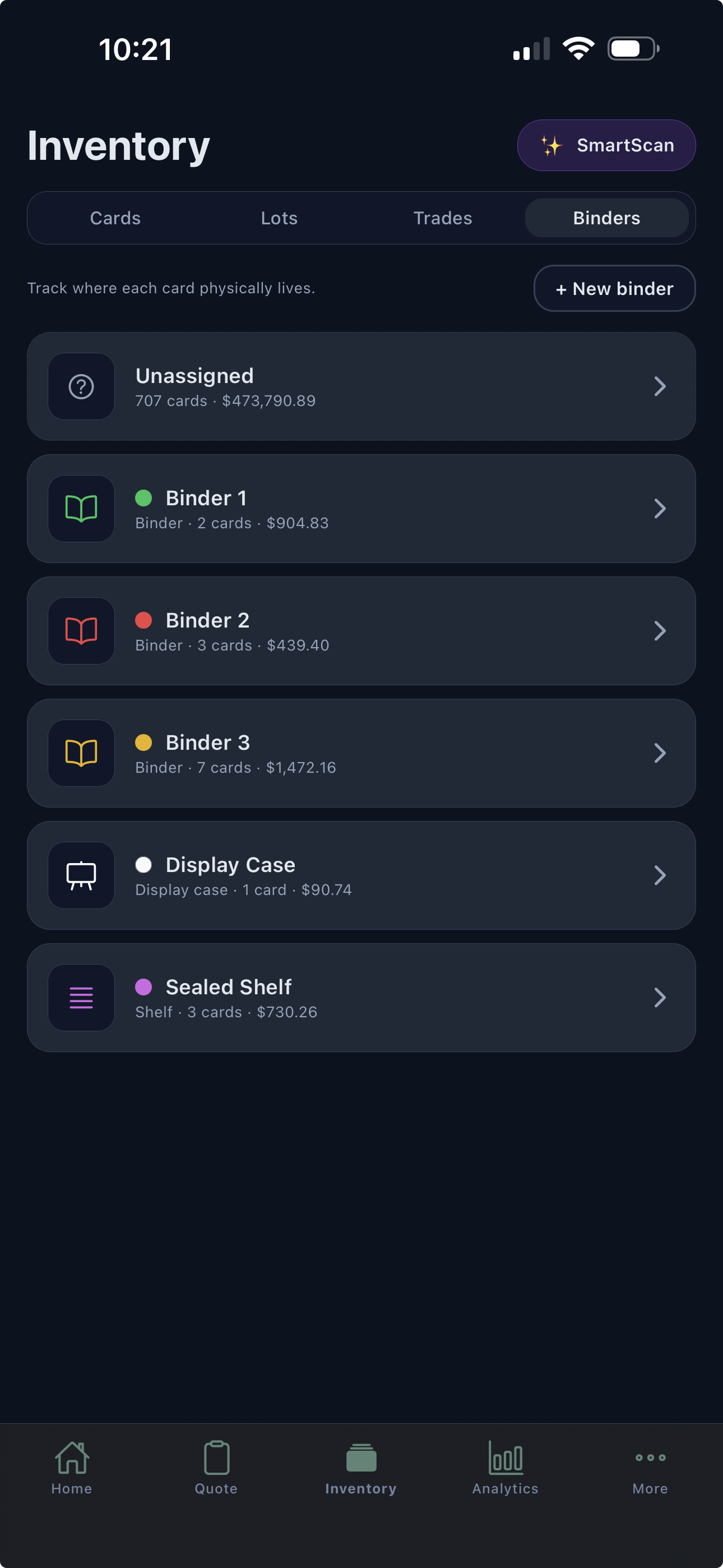
Organize cards by binder, box, display case, or shelf. Add page and slot notes so the right copy is easier to find.
Show analytics
Connect sales and card costs to each show. Add the table fee and other expenses, then compare results across weekends.
See the numbers behind a show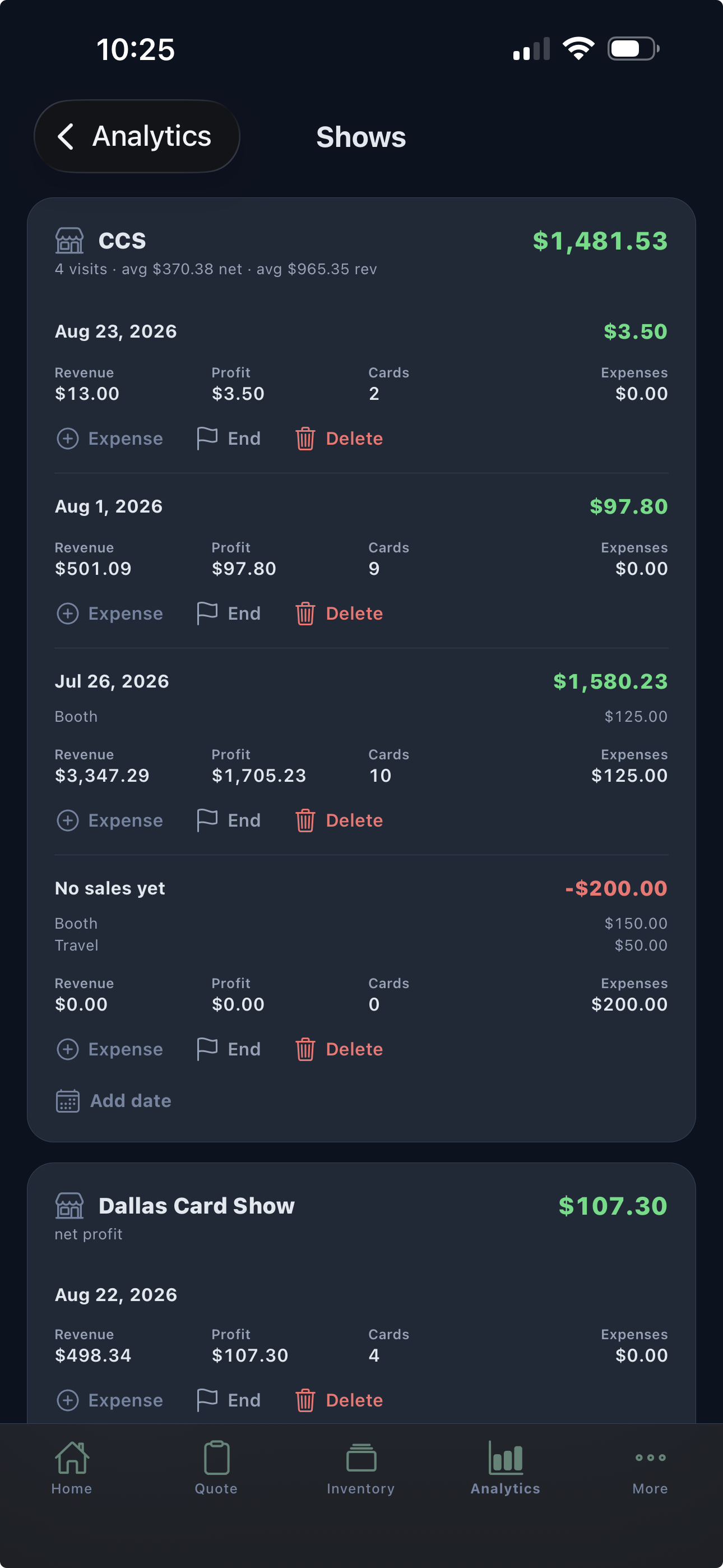
Plans that fit the way you work
Free needs no card and holds your first 50 cards. Pro includes a 14-day trial with everything below. Cancel anytime.
Before your first deal
The practical details, before you sign up.
Ask us something elseVendilot is TCG vendor software for buying collections, calculating trades, managing inventory, and recording card-show sales. The mobile app connects SmartScan rapid camera scanning, Quick Quote offers, purchase costs, market prices, labels, binders, and show analytics.
Vendilot includes catalogs for Pokémon, Pokémon JP, One Piece, Magic: The Gathering, Disney Lorcana, Yu-Gi-Oh!, Gundam, Riftbound, and Dragon Ball Super, including Fusion World and Masters. Card identification and pricing coverage depend on the card, printing, language, and available data.
In the mobile app, point your camera at one card and tap to scan. Move to the next card and tap again, building a collection one scan at a time. Review the matches, printing, finish, language, and condition before building an offer in Quick Quote. You can adjust the buy percentage and individual values, then save the accepted purchase as a lot. Free includes 10 SmartScans a day; Pro and Teams scan without limit.
Yes. Add incoming and outgoing cards, review their values, set your trade percentage, and adjust the offer or cash difference. Vendilot shows who owes the balance so you can agree on a card-for-card or cards-plus-cash deal.
Vendilot handles the card records around your point-of-sale (POS) setup: quotes, trades, inventory lookup, recorded sales, and show results. Scan inventory QR labels to select cards for a sale, then record the agreed prices and show. Collect customer payments through your existing payment processor.
Yes. Vendilot automatically refreshes market prices for eligible inventory, so you can follow changes in value alongside what you paid. Updates run on a regular schedule with plans that include pricing access. Timing and coverage vary by card and pricing source.
Yes. Vendilot supports Excel and CSV imports, TCGplayer exports, and public Collectr showcase imports. Review the matched cards and imported fields before saving your inventory.
Yes. The Free plan needs no card and holds up to 50 cards with Quick Quote, catalog snapshot prices, 10 SmartScans a day, lots, trades, binders and shows. Pro is $20 per month with a 14-day trial (card required, once per account) and adds unlimited cards, live pricing, unlimited SmartScan, analytics and label printing. Teams is $40 per month for a shared inventory.
The work behind the cards
A practical way to review a collection before deciding what to pay.
Cost trackingHow to divide a lot’s cost without losing the original deal.
Free toolTest a buy percentage against the resale and costs you expect.
Compare TCG apps
Keep your collection offers, inventory costs, and card-show results connected.
Bring your next collection
Put Vendilot to work on your next collection. Choose the plan that fits your table.