Label printing / Pro & Teams
Your table’s prices should keep up with your inventory.
Design card labels in Vendilot, identify prices that have changed since the last print, and print updated labels through the mobile app with a supported Bluetooth printer.
- Design labels with price, card details, logo, and QR code.
- Compare current prices with the last printed prices.
- Print from the mobile app to supported Bluetooth hardware.
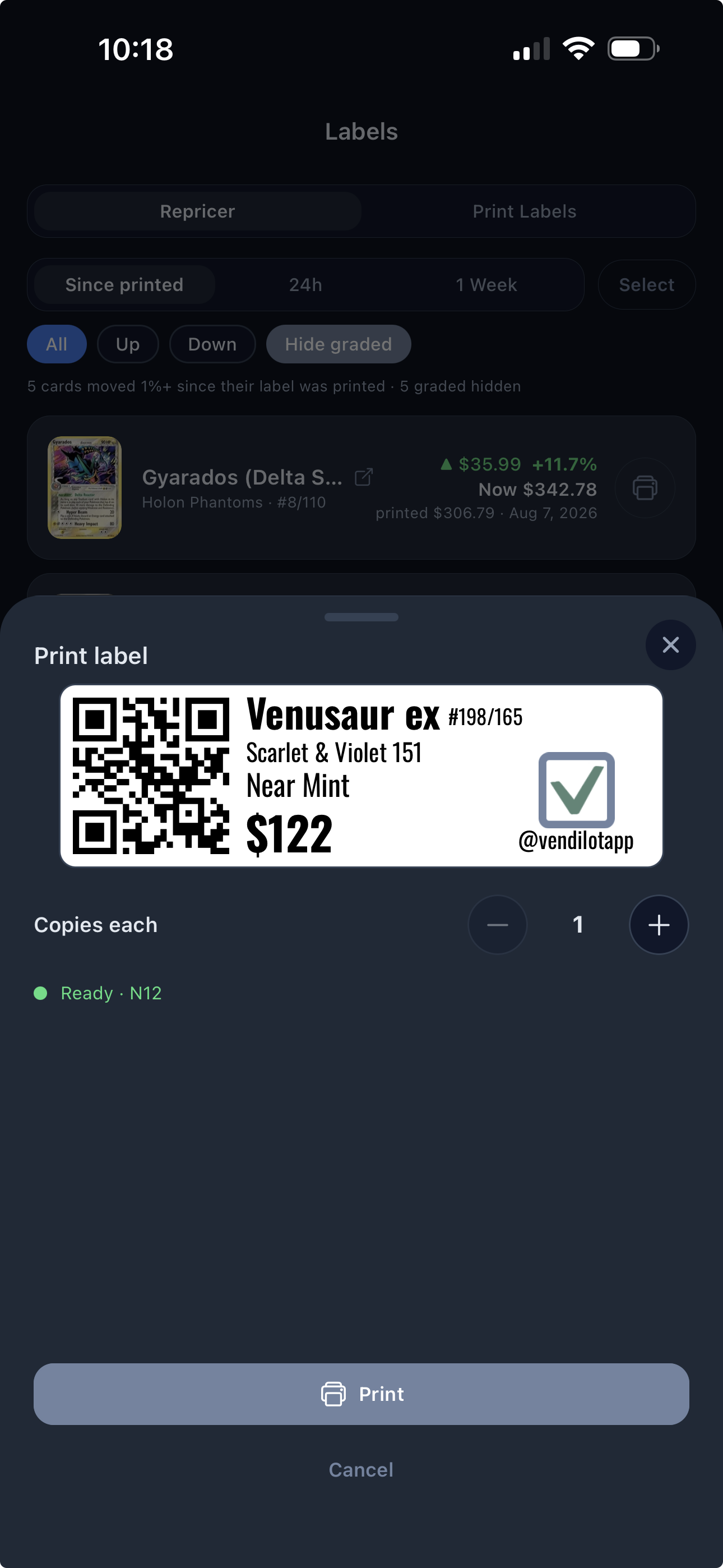
A label that fits your table.
Build a label layout with the card details you want customers to see. Add your branding and choose the price and QR elements that make the physical card easier to work with.
Use the web or mobile designer to prepare the layout, then print from the mobile app.
Find the labels that need attention.
A market update in your inventory does not change the sticker on a sleeve. Vendilot’s repricer compares current prices with the prices recorded at the last label print.
Review the changed cards and decide which labels to replace before the next show. You keep control over what price goes on the table.
Print where you work.
Send labels over Bluetooth from the Vendilot mobile app to supported hardware. Supported printers are the N12, Niimbot D110, Phomemo D30, and Nelko P21 on iOS and Android.
The web page provides design and repricing tools. It does not print directly from the browser, and Vendilot does not claim compatibility with every thermal printer.
A closer look
Questions about Label printing.
Can I print from the web browser?
Printing happens in the Vendilot mobile app over Bluetooth. The web interface supports label design and repricing.
Which printer is supported?
Vendilot supports the N12, Niimbot D110, Phomemo D30, and Nelko P21 over Bluetooth in the iOS and Android apps. Generic label rolls are not guaranteed to work with Niimbot or Phomemo printers. For those printers, use only the printer-specific rolls linked in the label designer. Hardware and label stock are separate purchases.
How do I know which labels are out of date?
The repricer compares a card’s current price with the price recorded when its label was last printed. Review the differences and choose which labels to replace.
Bring your next collection
Your cards.
A clearer way to work.
Put Vendilot to work on your next collection. Choose the plan that fits your table.