Built for Card-show vendors
Buy, trade, and sell at the card show.
Card-show vendor software with rapid card scanning, a TCG deal and trade calculator, inventory, and sales tracking alongside your point-of-sale (POS) setup.
- Prepare inventory, locations, and price labels.
- Calculate collection offers and cards-plus-cash trades.
- See the result after recorded card and show costs.
Before the doors open.
Review inventory and current market references, organize the cards into physical locations, and check which labels need attention. The repricer compares current prices with the last print so you can decide what to update before the table gets busy.
Prepare your price labelsWhen a collection walks up.
Scan through the collection on your phone, one card per tap. Review the matches, then build an offer in Quick Quote. Once the deal is accepted, save the purchase as a lot. You keep the purchase record while the day is still moving.
Build a collection offerWhen someone asks for a card.
Inventory tells you what you have; binders and location notes help tell you where it is. Keep the right copies grouped in a binder, box, or display case, and add page or slot notes where useful.
Connect inventory to your tableAt the point of sale.
Scan inventory QR labels or select cards to record a sale at the agreed prices. Link the sale to the show so card costs follow into your results. Vendilot manages the inventory and sales records around your checkout; collect customer payments through your existing POS or payment processor.
Track cards through the saleAfter the last sale.
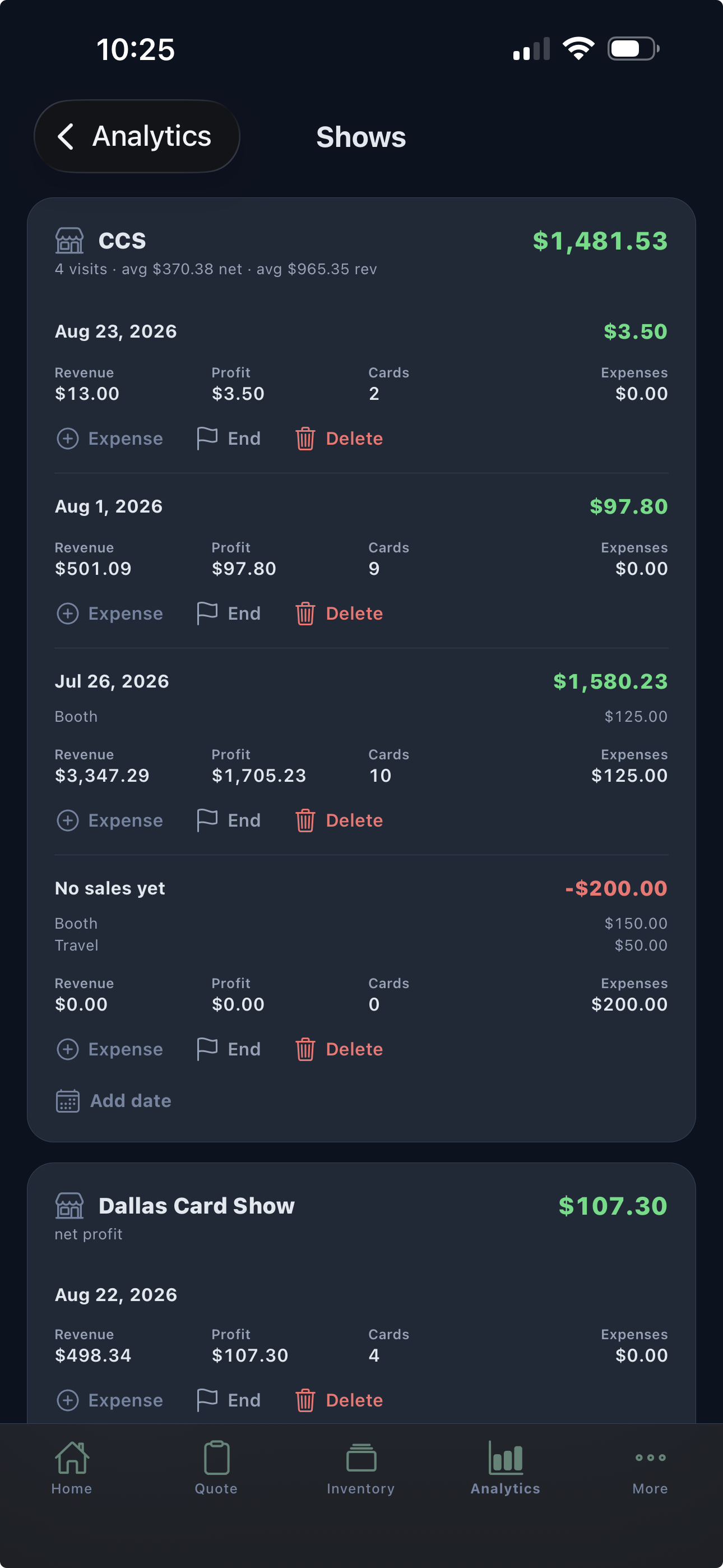
Bring recorded sales, card costs, and event expenses together. Review the show’s net result, then compare recurring visits in a show series. A crowded room and a good return are different things, so put the numbers beside the memory.
Review a show’s performancePlan your setup
Before your next show.
Can multiple people use one inventory at a show?
The Teams plan shares one inventory with teammate permissions and purchase/sale attribution. Three teammate seats are included; additional teammate seats cost $5 per month each.
Does Vendilot handle card payments or act as a POS?
Vendilot supports your card-show point-of-sale workflow with quotes, trade calculations, inventory lookup, QR labels, recorded sales, and show results. It does not process customer card payments. Use your existing POS or payment processor to collect payment.
Will everything work without an internet connection?
Do not plan on a fully offline workflow. Online pricing and cloud features need connectivity. Prepare your inventory and printing setup before the event, and use a reliable connection for online work.
Bring your next collection
Your cards.
A clearer way to work.
Put Vendilot to work on your next collection. Choose the plan that fits your table.