Binders / Free, Pro & Teams
The right card. In the right place.
Binders in Vendilot connect digital inventory to physical storage. Group cards into a binder, box, display case, or shelf, and add page or slot notes for the copy you need.
- Organize binders, boxes, display cases, and shelves.
- Add optional page and slot notes.
- Review the card count and value in each location.
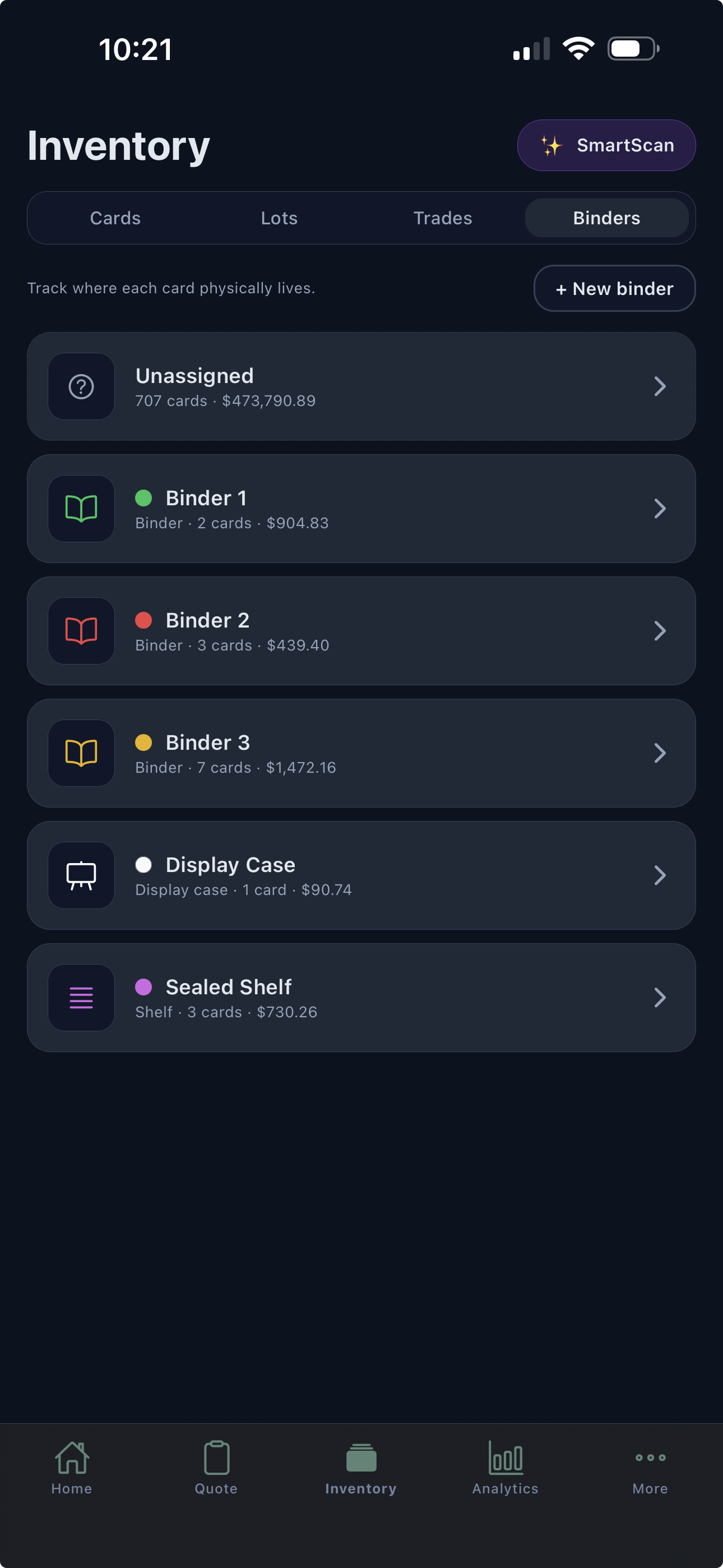
Name the places you actually use.
“Show binder,” “Backstock box,” and “Display case” are more helpful than a card record with no location. Create storage groups that reflect how your inventory is physically arranged.
Use a binder for a curated selection or a box for larger groups. The location belongs with the inventory record you already maintain.
Find the copy, not just the card name.
Optional page and slot notes give you more detail inside a location. That matters when you own several copies or keep similar printings in different places.
Update the location as you move cards so the digital record keeps matching the table, case, or shelf.
See what each location holds.
Card count and value summaries help you understand the inventory assigned to a binder or storage group. The summaries use the available and personal cards stored there.
Binders organize physical storage. They are not a public portfolio page or a visual binder-page layout editor.
A closer look
Questions about Binders.
Are binders only for actual binders?
No. Vendilot supports storage locations such as binders, boxes, display cases, and shelves. Use names that match how you organize cards.
Can I record a binder page or slot?
Yes. Page and slot notes are optional, so you can add that detail for cards where it helps.
Which plans include binders?
Binder and storage-location organization is available on Free, Pro, and Teams.
Bring your next collection
Your cards.
A clearer way to work.
Put Vendilot to work on your next collection. Choose the plan that fits your table.